How do I comment or reply to others?
💬 How to Leave a Comment on Reviews and Videos
Commenting is one of the best ways to connect with creators and become part of the ToyChats community. Whether you’re reacting to a review, asking a question, or sharing your thoughts, leaving a comment is quick and easy.
📝 Commenting on Written Reviews and Articles
To leave a comment on any written post:
Scroll to the bottom of the article or review
Find the “Leave a Comment” box
Click into the box and type your message
Submit your comment, and it will instantly appear below the post
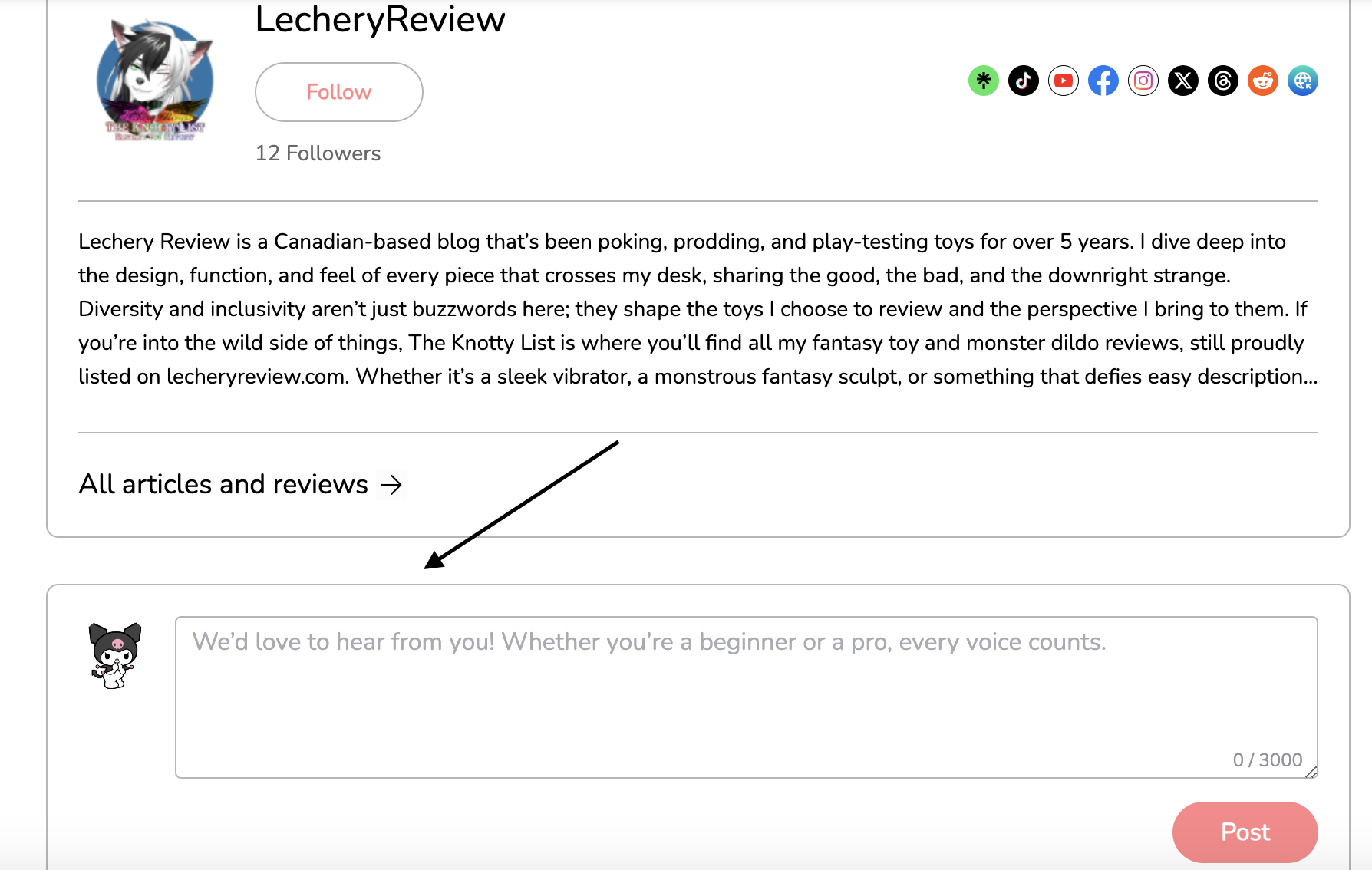
Once your comment is posted, the creator will be notified right away. This makes it easy to start conversations, give feedback, or show support.
🎥 Commenting on Video Reviews
Video reviews offer two ways to interact:
✅ Standard Video Comments
Scroll below the video to find the regular comment box. This works just like written posts and is perfect for:
Asking questions
Sharing your thoughts
Starting conversations with other viewers
Giving feedback to the creator
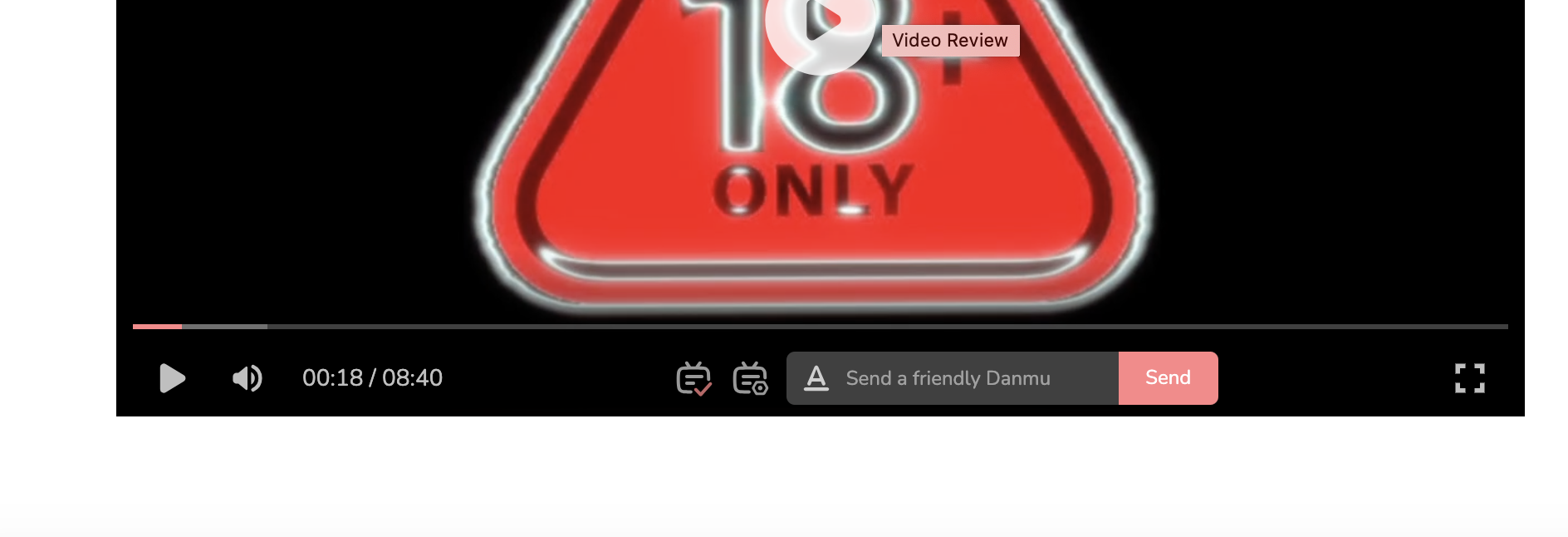
💬 Danmu (Live Floating Comments)
Exclusive to video content, the Danmu feature lets you send comments that appear directly on the video while it plays. These messages float across the screen in real time and let you react to specific moments as they happen.
Danmu comments are great for:
Reacting to funny or exciting moments
Posting quick reactions
Joining live-style community discussions
Making videos feel more interactive and social
🤝 Why Commenting Matters
Commenting helps:
Creators know what you enjoy
The community grow stronger
Conversations form naturally
Your profile become more visible
Every comment brings the community closer together. Your thoughts, reactions, and questions make ToyChats more fun, more helpful, and more human.
So don’t be shy. Leave a comment, send a Danmu, and join the conversation 💖
💬 Comments & Interaction