How do I change my banner?
Why Your Banner Matters 🎨
Your banner is the first thing people see when they visit your profile—it's like the grand entrance to your ToyChats home! Think of it as your profile's background wallpaper that sets the vibe for everything else. While your profile picture identifies you in comments and posts, your banner gives you a whole canvas to express your personality and collecting aesthetic.
A great banner can showcase your favorite characters, display your most prized pieces, highlight your collection's theme, or simply share something that makes you smile. It's prime real estate for showing off what you're all about! 🌟
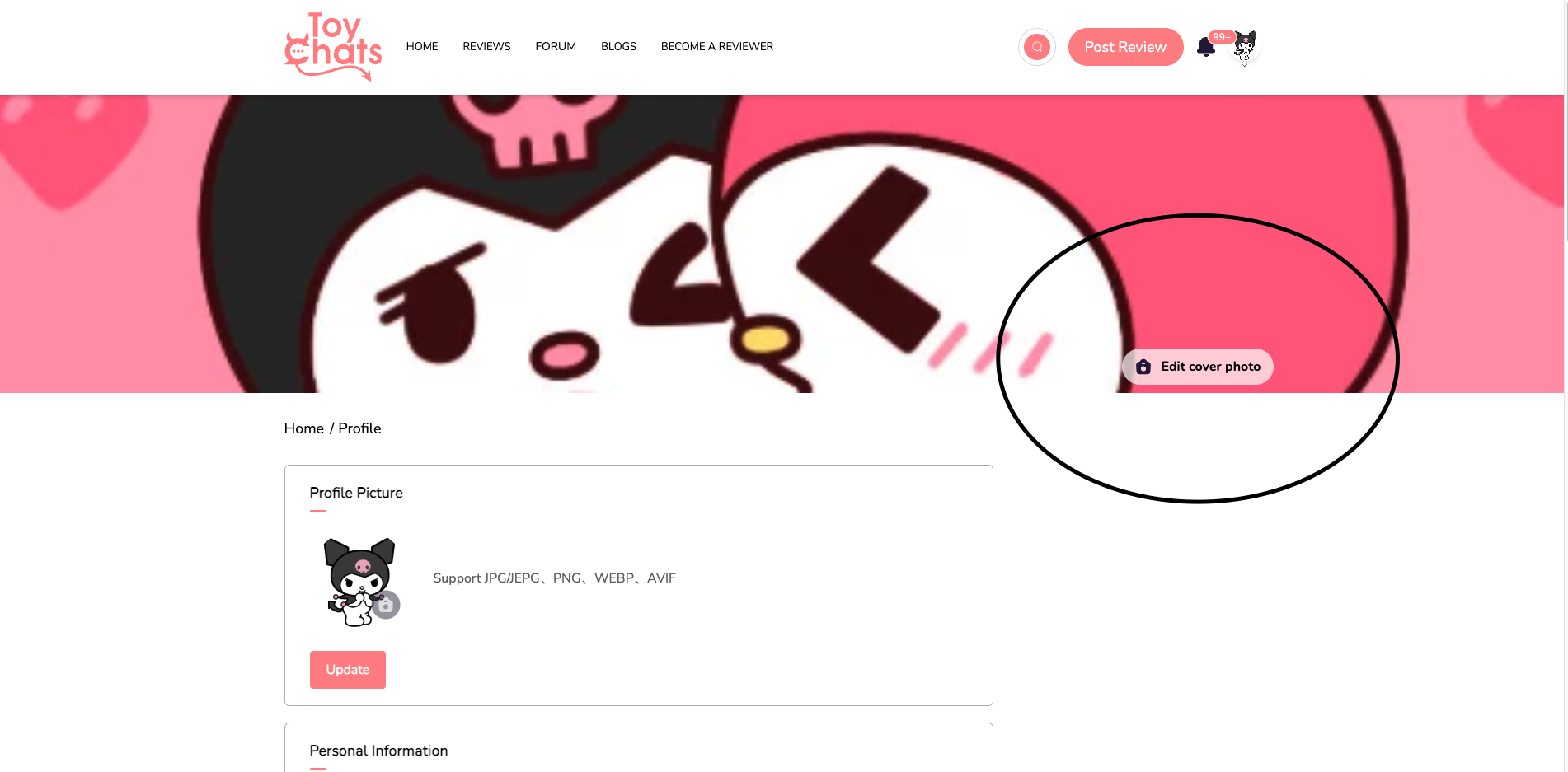
Currently, mine features Kuromi and My Melody smooching. I feel like it is cute, fun, and totally on-brand for me! Your banner should reflect your style, whether that's adorable, nostalgic, action-packed, or artsy. Just remember: keep it fun and flirty, but NOT PORNOGRAPHIC. Keep it in your pants!
How to Change Your Banner 🖼️
Sign into your ToyChats account
Click your profile picture in the top right corner of the screen (by default, it displays the first letter of your username)
Select "Profile Settings" from the dropdown menu
Click on the camera icon overlaid on your current banner image
Upload your photo from your device (we support JPG/JPEG, PNG, WEBP, and AVIF formats)
Preview how it looks and adjust if needed
Click "Update" to set your new banner