How do I edit a review?
Published Nov 19, 2025
I was wondering the same thing too, so I asked around and here’s what I found out 💡
Here’s how to edit your review on ToyChats:
✏️ How to Edit Your Review
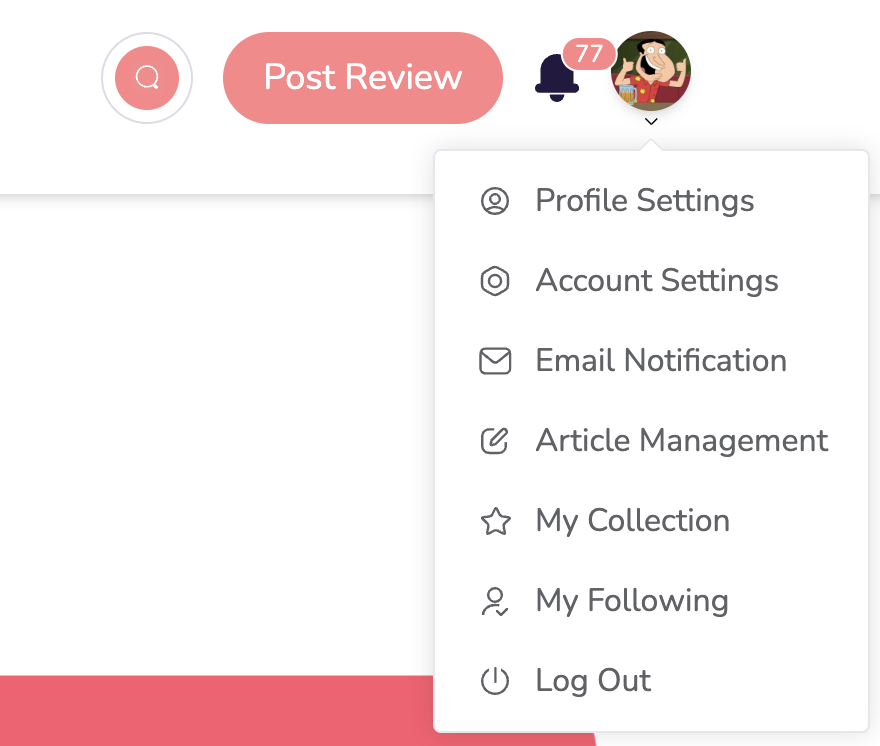
Click your profile photo in the top right corner
Select Article Management from the menu
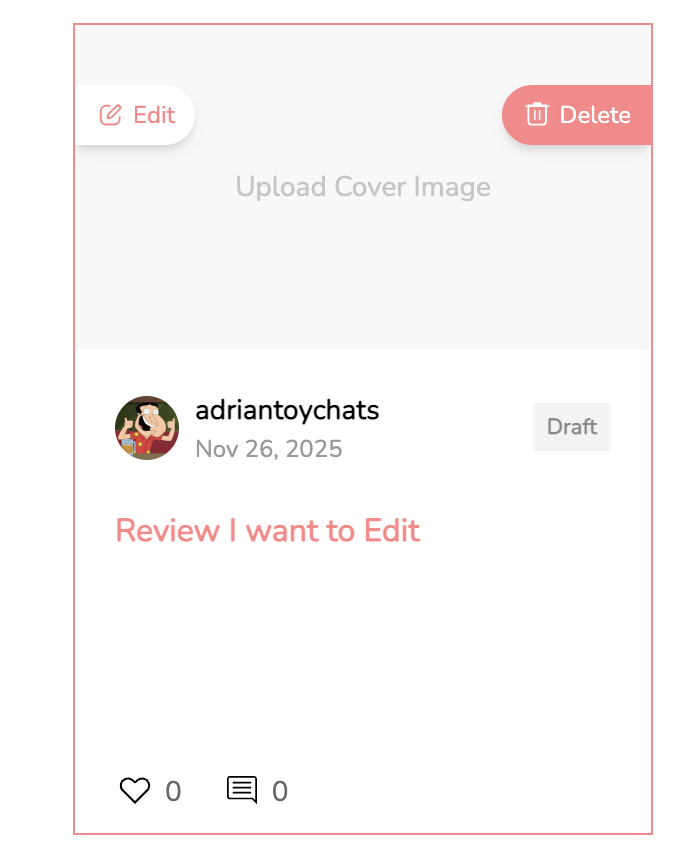
Find the article you want to update
Click Edit next to that article
Make your changes
Click Save to keep editing later or click Submit to send it back to the editors
Are you a visual learner? Let's go through the process in screenshots.
And that’s it, you’re done 😄